
This ad wasn't filmed. It was asked for.
Turn what you sell into ready-to-post video ads. AI writes, presents and edits. You make it yours.
One brief becomes four versions in about an hour — for less than a creator charges for one video.
Coming soon · we’ll let you know when access opens
More posts. More chances to be seen.
Fifty-three seconds, no sound needed: an empty feed, one brief, four versions, and what they cost next to a creator.

Your last post was months ago. Not because you had nothing to say.
About $175 and a week: one creator, one video. So you post less.
Say it once: one brief, typed into the chat.
About an hour. Nobody touching it: the run goes through its steps on its own.
Not one video: four versions of the same ad (Classic, Dissolve, Showcase and Cinematic), the same second of the same ad in each version.
“Make it shorter.” A change is a sentence.
Every brief: four more posts. Captions written for each platform. Ready to post.
One video in a week. Or four versions in an hour. A creator: 1 video, about a week, about $175. ViralWhen: 4 versions from 1 brief, about an hour, from $39 a month.
On Scale, run up to 3 businesses from one screen.
Join the waitlist. Coming soon · we’ll let you know when access opens.
You ask. It does the rest.
One ad normally means a writer, a director, a presenter, an editor and a reviewer, and the back-and-forth you pay them for. ViralWhen runs all 31 stages of that work for you, end to end.
First, once
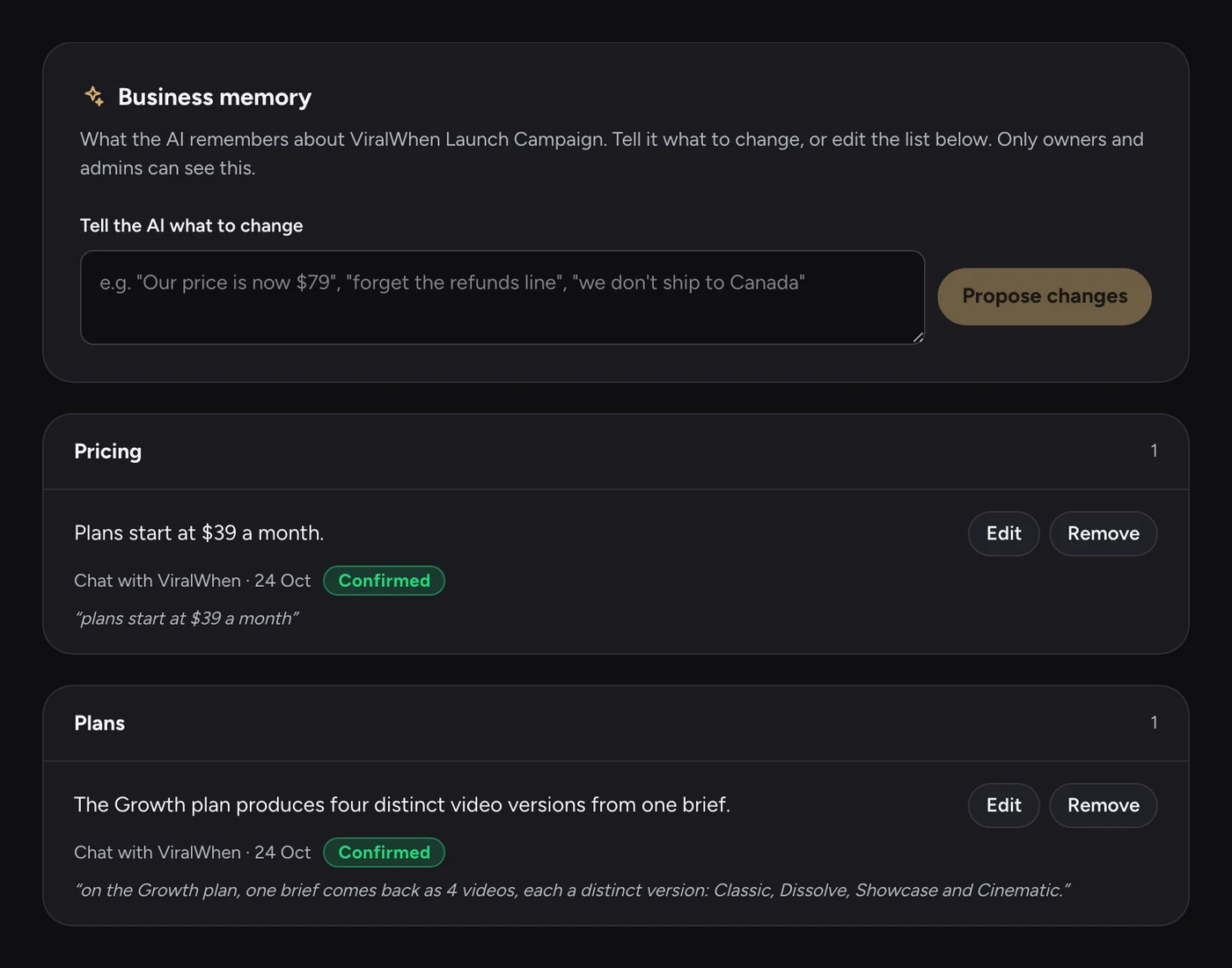
It learns your business
You start with your website, not a prompt. It reads what you sell, who it is for and how you sound, and keeps what it knows in a business memory you can read and correct.
- What you sell
- Who it is for
- Your tone
- Images and videos from your site
First, once
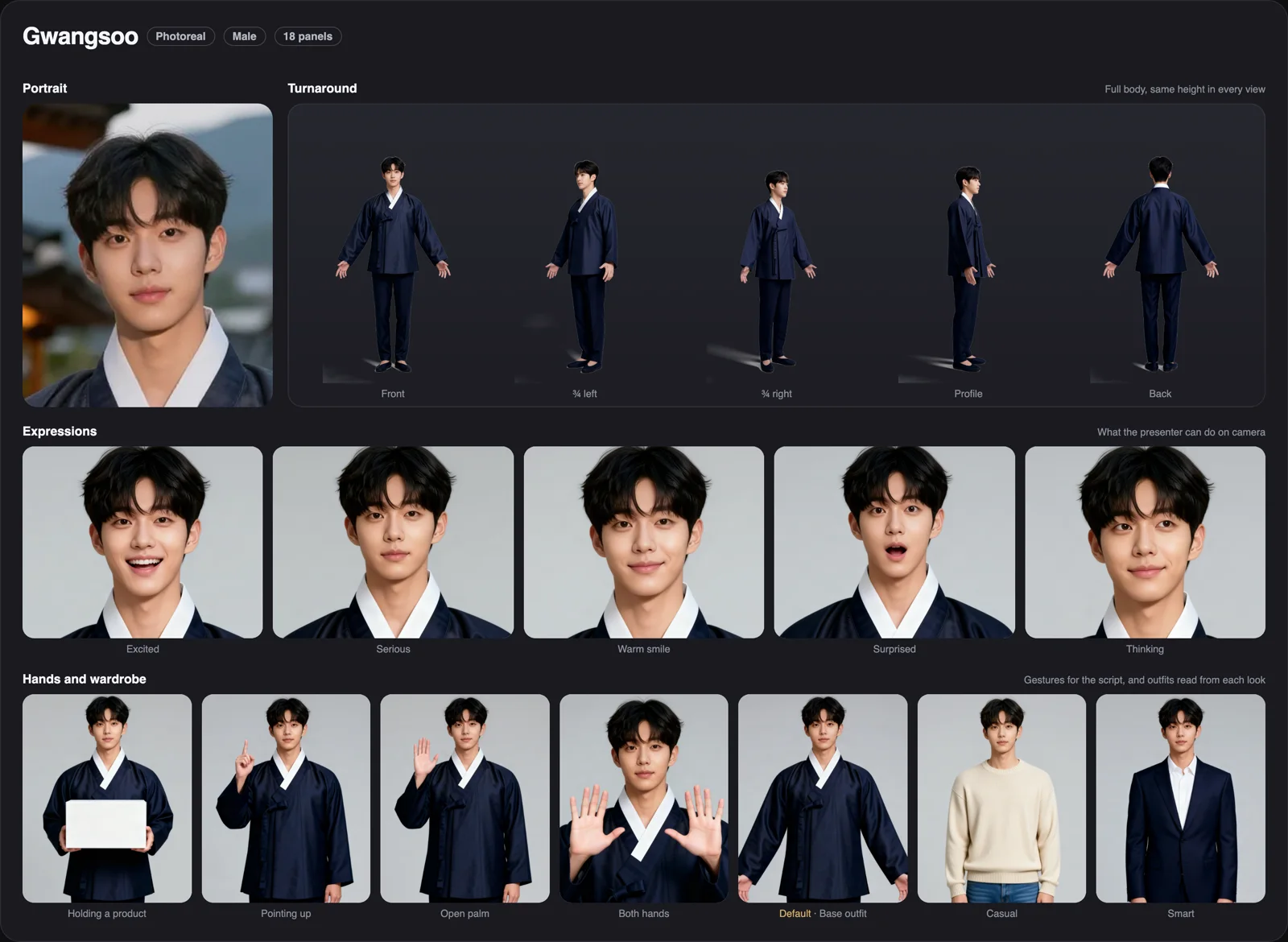
It casts your presenter
Pick a ready-made presenter or create your own. You get a full character sheet: every angle, expressions, hand gestures, outfits and a voice, so the same person appears in every video.
- Angles
- Expressions
- Gestures
- Outfits
- Voice
First, once
You upload your files once
Add your product photos, screen recordings and clips one time. It watches and reads each one, notes what it shows and what it says, and picks the right moments from them for every video after. You just manage the library: archive anything you don't want used.
- Images
- Videos
- Screen recordings
- What it shows
- What it says
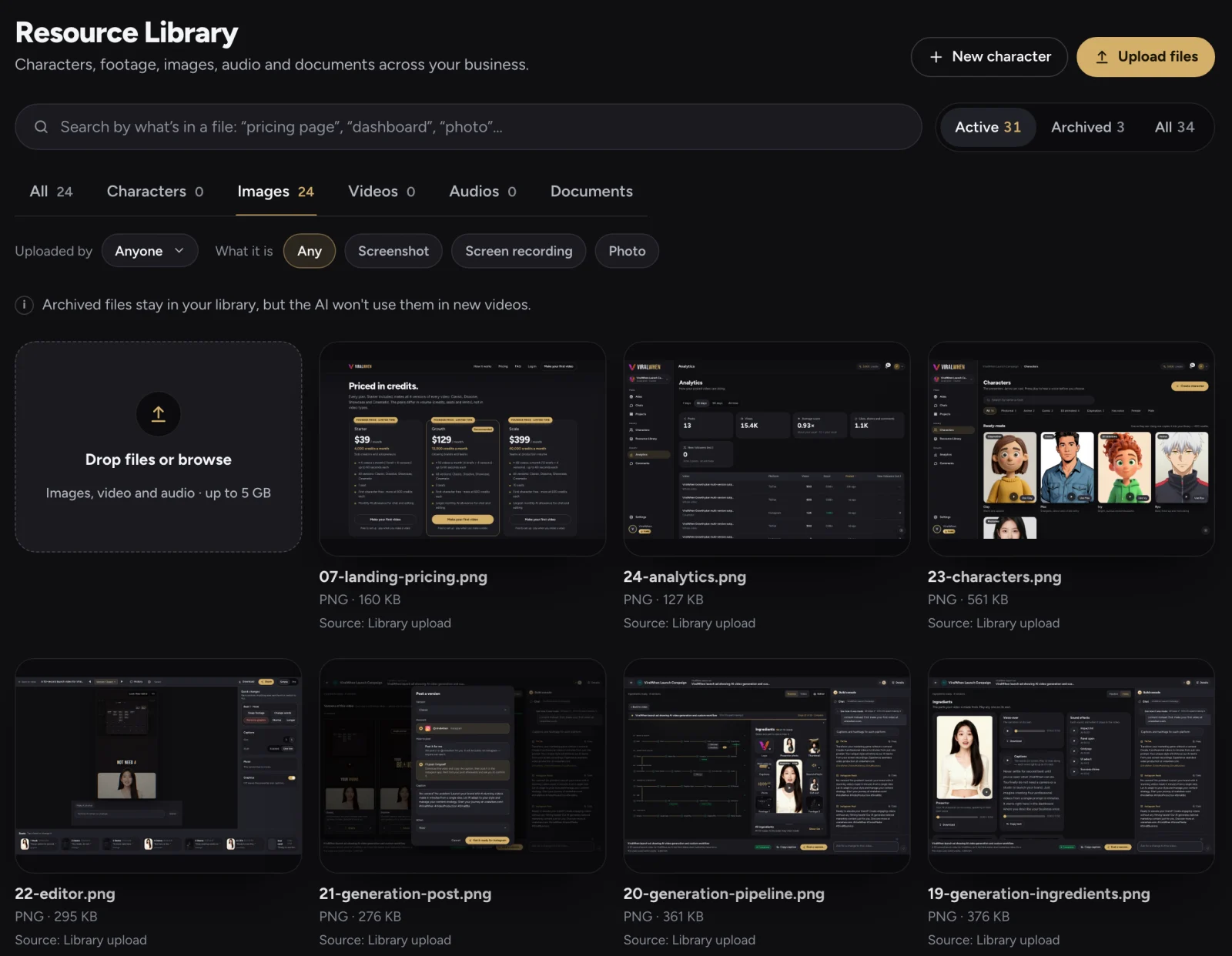
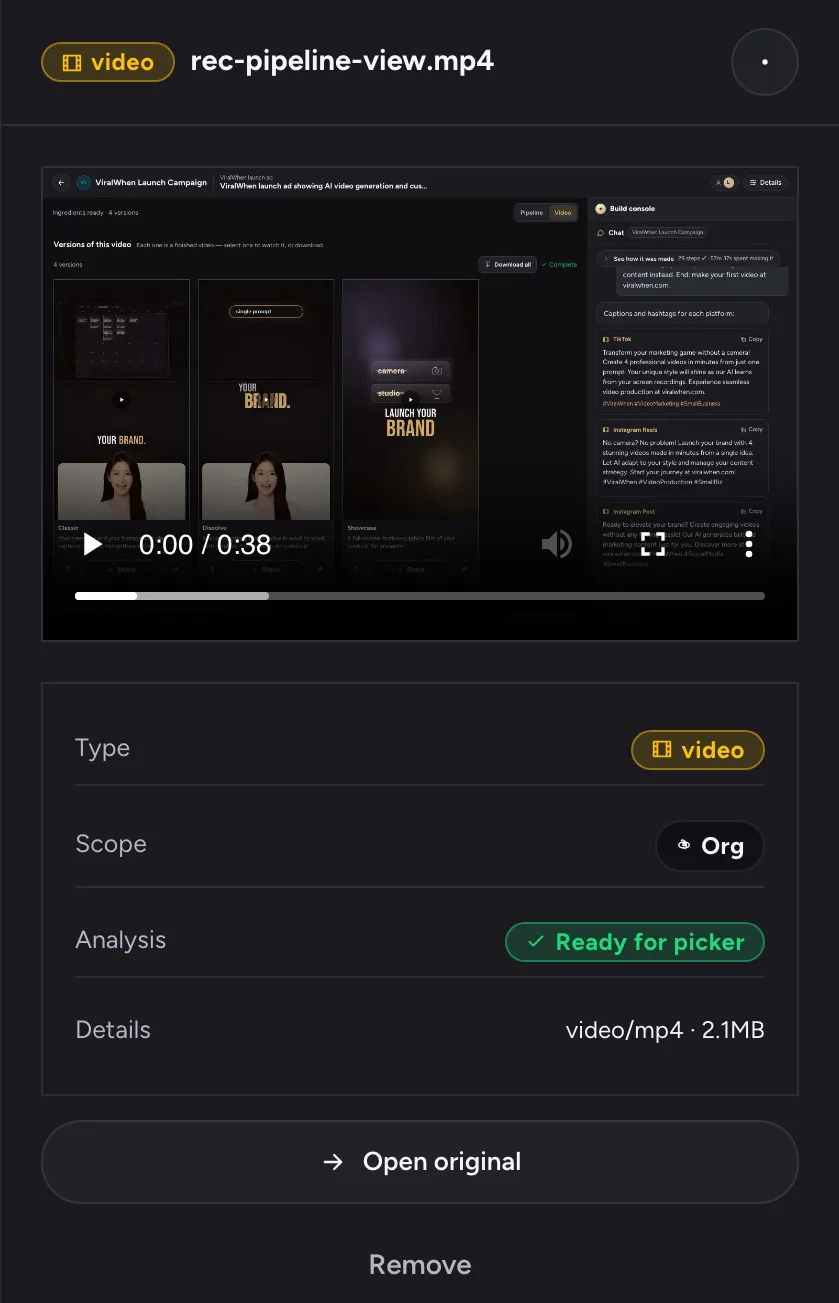
Real screens: the Resource Library (Images, active files) and one upload opened, already read by the AI and ready to use.
It writes the ad
Now you ask, in a sentence. A hook built to stop the scroll, a script in your tone, and a second AI that critiques it. You approve the storyboard before the video is made.
- Hook
- Script
- Script review
- Storyboard
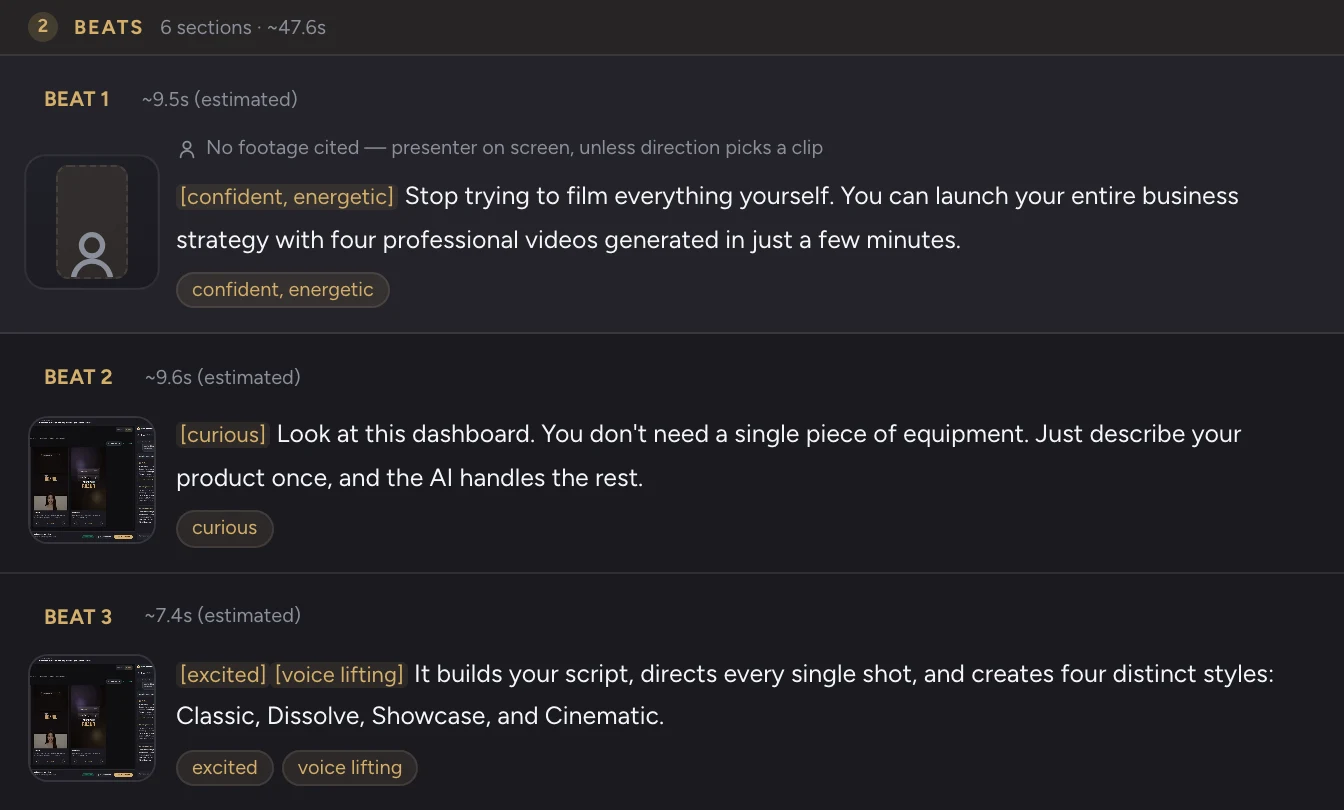
It directs every shot
What is on screen at each moment: your footage, the presenter, the graphics, the music and sound.
- Shot plan
- Motion graphics
- Sound
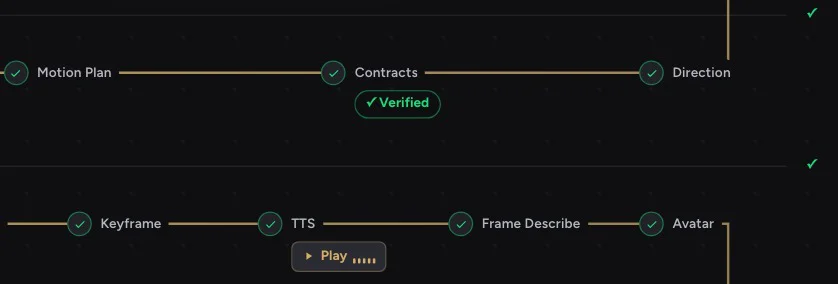 Zoomed from the real Pipeline view.
It makes the ingredients
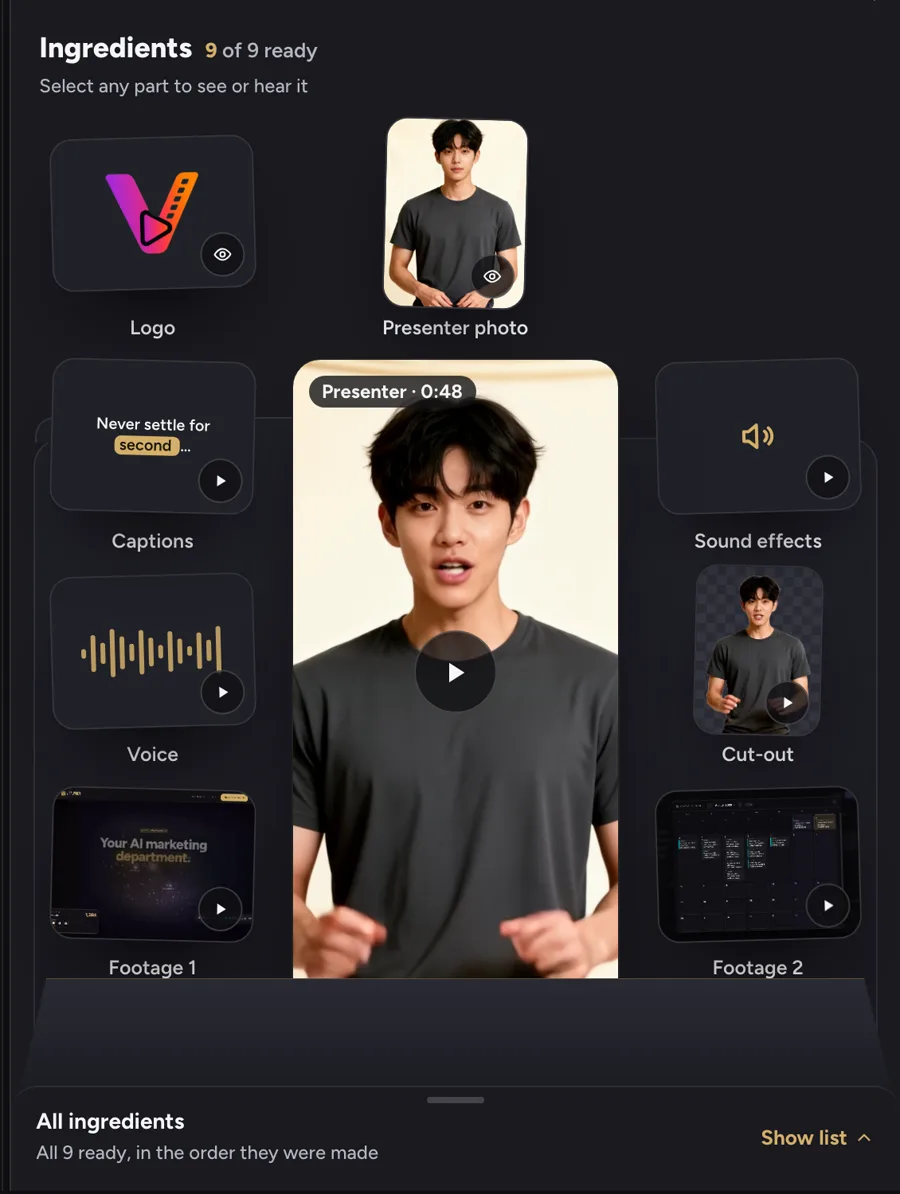
Casts and voices the presenter, cuts in your clips, times every caption to the word. Each ingredient is kept, so any of them can change later without remaking the rest.
- Presenter
- Voice
- Captions
- Footage
- Sound
It checks its own work
An AI watches the finished video, and every claim is checked against your site before you see it.
- Watched
- Claims checked
- Caption written
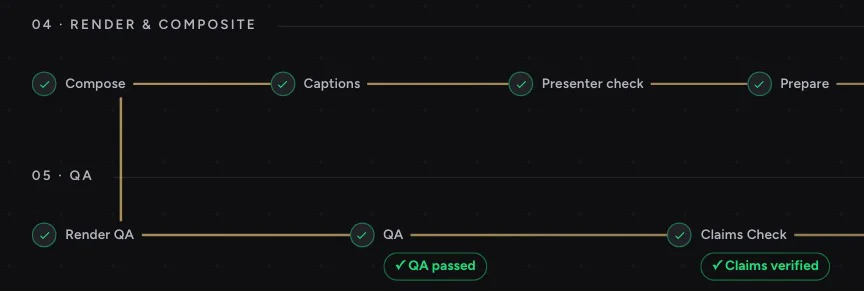 Zoomed from the real Pipeline view.
You get 4 videos
4 versions of your ad, each with a different look, each in 9:16 plus 4 more formats (16:9, 1:1, 4:5, 2:3), ready to post.
- Classic
- Dissolve
- Showcase
- Cinematic
Classic
Dissolve
Showcase
Cinematic
Each version can also be exported in 16:9 · 1:1 · 4:5 · 2:3
Post to your social mediaComing soon
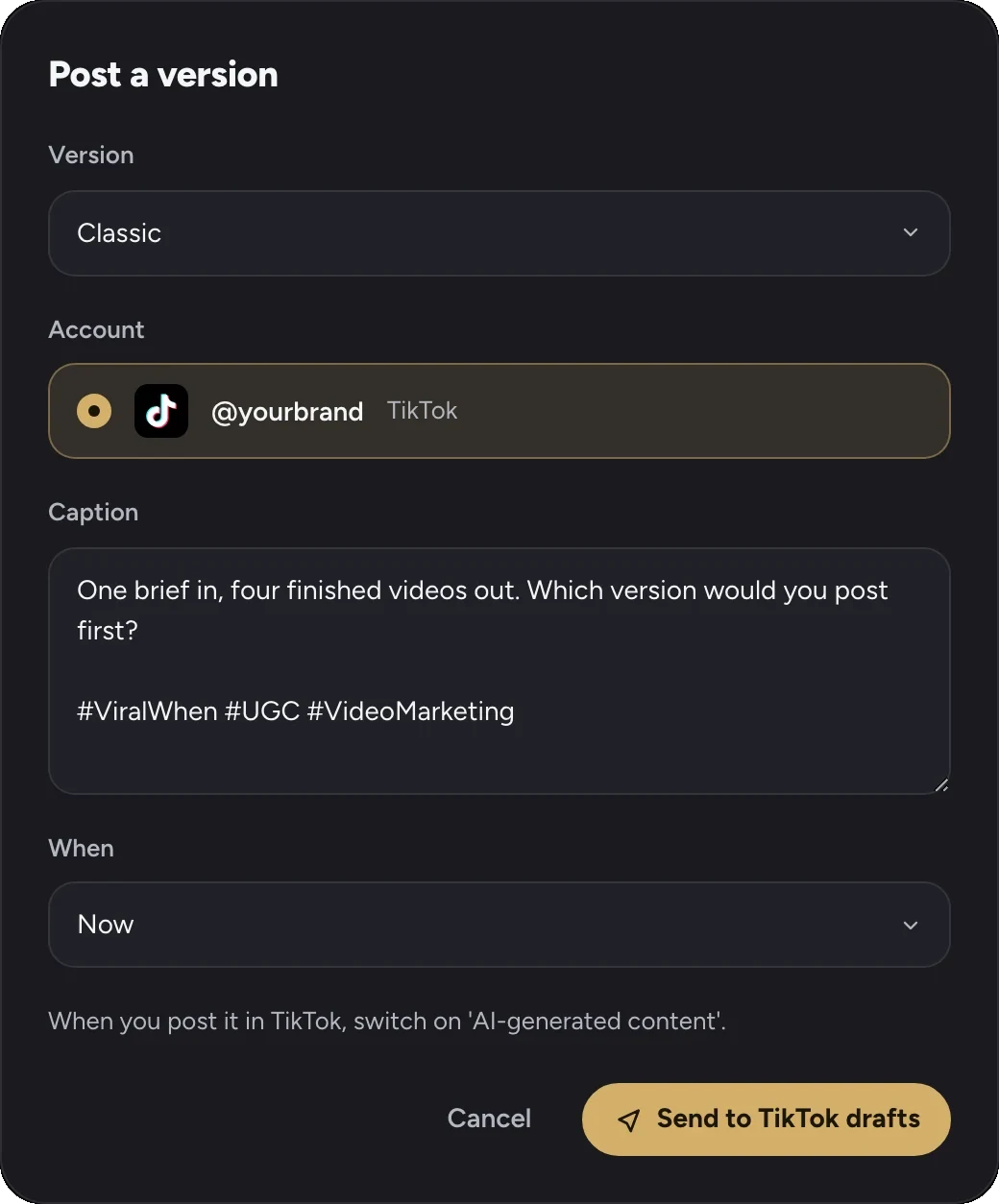
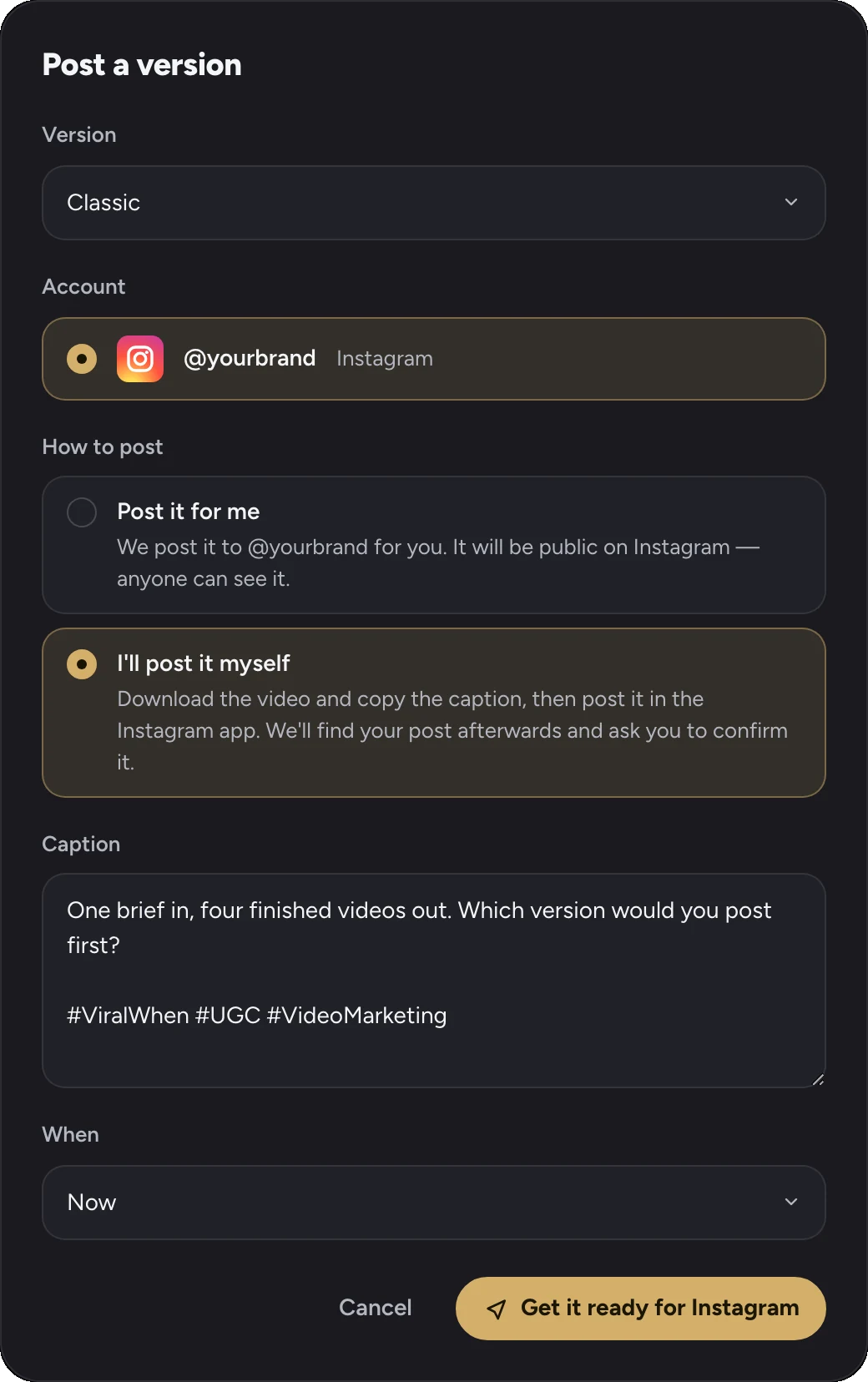
Pick a version and your account. It goes to your TikTok or Instagram ready to post, and you post it when you are happy. Nothing is ever posted without you.
- Pick a version
- Your account
- TikTok
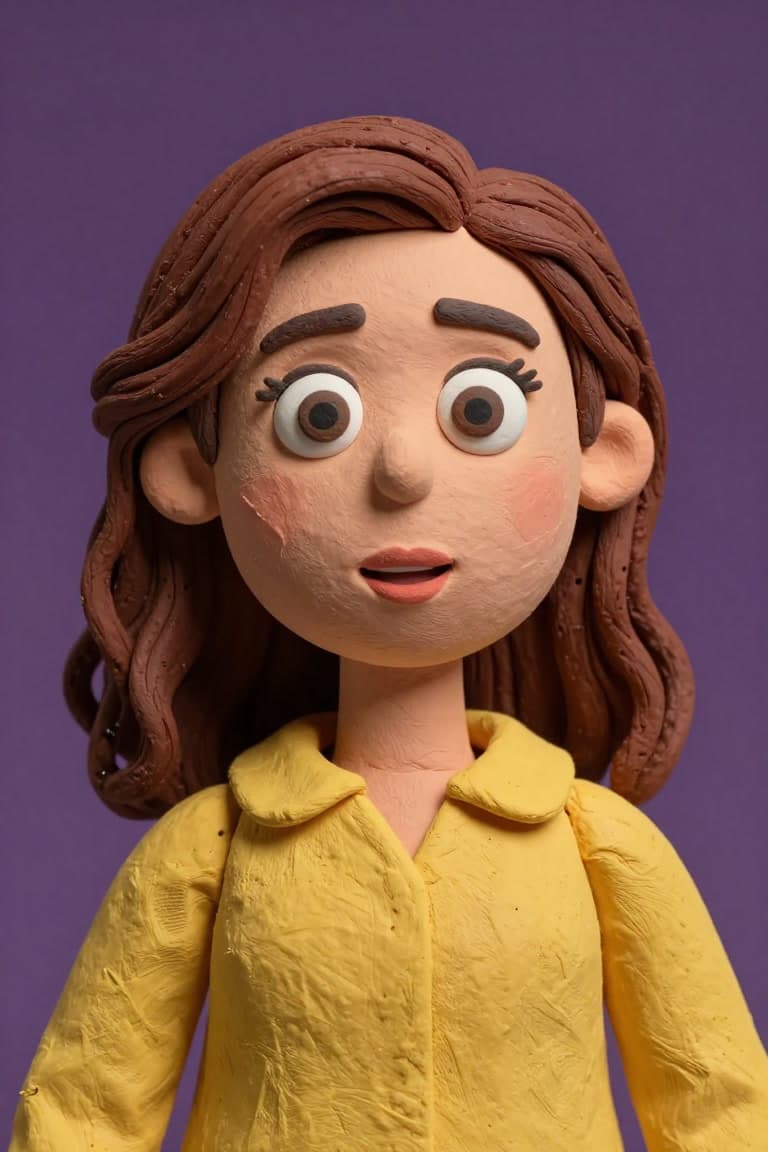
Your face, a generated presenter, or a character.
All of these came out of ViralWhen. Whoever you pick stays the same across every post.
- Comic

- Anime · Sora

- Photoreal

- Claymation
- Anime · Ren

- Anime · Mika

- 3D animated

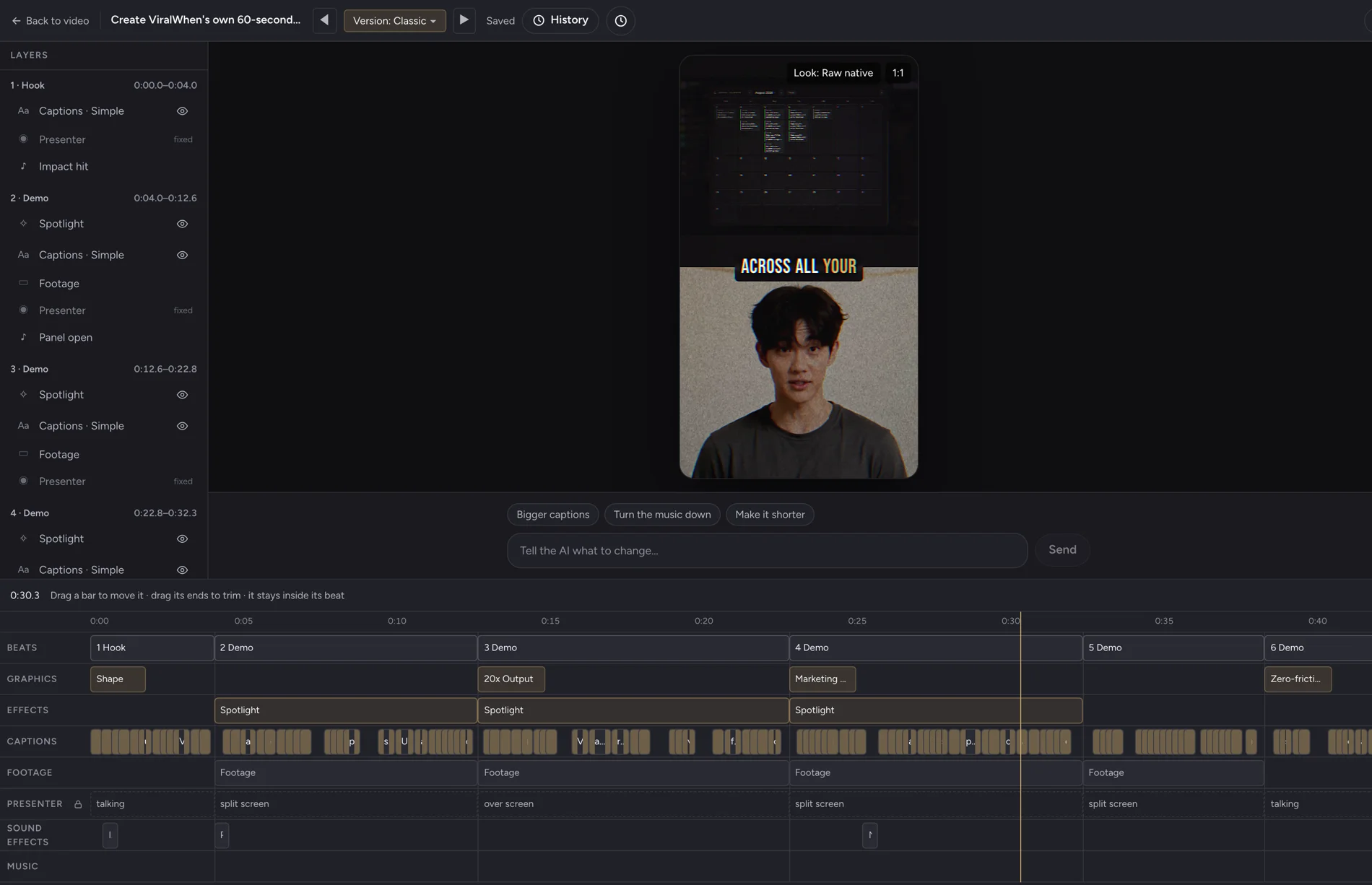
Change it without making it again.
- Captions, layout, graphics, music and timing stay editable after the video exists.
- Or type the change in plain English and let it apply the change for you.
- The presenter and the voice stay locked. Nothing is re-rolled, so nothing comes back worse.
Four ads a month. What they cost.
The same number of ads, two ways: a creator, a week and an invoice for each one — or four briefs.
UGC creators
≈ $700
4 videos · about a week each
≈ $175 a video, before revisions. One version of each.
ViralWhen · Growth
$129/ month
4 briefs · about an hour each
Each brief comes back as 4 versions, each in 9:16 plus 4 more formats (16:9, 1:1, 4:5, 2:3), ready to post.
More posts, more chances to be seen. UGC creator rate: typical 2026 median, about $175 a video. Growth: 13,000 credits a month ≈ 4 briefs × 4 versions.
Priced in credits.
Every plan, Starter included, makes all 4 versions of every video: Classic, Dissolve, Showcase and Cinematic. The plans differ in volume (credits, seats and limits), not in video types.
Each version comes in 9:16 plus 4 more formats (16:9, 1:1, 4:5, 2:3). Each brief includes one free export of every extra format, then 100 credits per export.
Starter
$39 / month
4,000 credits a month
Solo creators and solopreneurs
- ≈ 1 brief a month · 4 versions each · up to 60 seconds
- All versions: Classic, Dissolve, Showcase, Cinematic
- Every version in 9:16 plus 4 more formats (16:9, 1:1, 4:5, 2:3)
- 1 seat
- First character free · more at 600 credits each
- Monthly AI allowance for chat and editing
Coming soon · we’ll let you know when access opens
Growth
Recommended$129 / month
13,000 credits a month
Growing brands and teams
- ≈ 4 briefs a month · 4 versions each · up to 60 seconds
- All versions: Classic, Dissolve, Showcase, Cinematic
- Every version in 9:16 plus 4 more formats (16:9, 1:1, 4:5, 2:3)
- 3 seats
- First character free · more at 600 credits each
- Larger monthly AI allowance for chat and editing
Coming soon · we’ll let you know when access opens
Scale
$399 / month
40,000 credits a month
Teams at production volume
- ≈ 12 briefs a month · 4 versions each · up to 60 seconds
- All versions: Classic, Dissolve, Showcase, Cinematic
- Every version in 9:16 plus 4 more formats (16:9, 1:1, 4:5, 2:3)
- 10 seats
- First character free · more at 600 credits each
- Largest monthly AI allowance for chat and editing
Coming soon · we’ll let you know when access opens
Straight answers. Including the ones that do not flatter us.
What is ViralWhen for?
Creating videos from your brief and material. You can make marketing videos, research explainers, educational content or personal projects wherever ViralWhen’s available tools and formats support what you want to make. It can write the script, cast an AI presenter, edit your footage and assemble the video.
What can't I make with it?
Sexual or intimate imagery of anyone, including AI-generated non-consensual intimate imagery (NCII) and deepfakes of real people, content that sexualises minors, and videos of a real person without their permission are not allowed, and accounts that break this are closed. The full list is in our Terms, section 5.
What does ViralWhen do with my Google account?
Only signs you in. We receive your name, email address and profile picture, use them for your account and nothing else, never use them to train AI, and never sell or share them. ViralWhen does not use any Google API to create images or video, and never uses Google APIs for AI-generated non-consensual intimate imagery (NCII).
Can I sign up now?
ViralWhen is coming soon. New registrations are paused. Join the waitlist and we’ll let you know when access opens. Sign-in is temporarily paused while we prepare for launch.
Will it look AI-generated?
Sometimes, and we would rather you judge that than take our word for it. Every video on this page came out of the product, unedited by hand. Watch them, then decide. What the system is good at is using YOUR footage as the substance and generating the presenter, script and cuts around it, which looks far less synthetic than a video generated from nothing.
Do I have to film anything?
No. You can start with nothing but a description of your business: the video is built from your script, an AI presenter and motion graphics, with no footage needed. It works best when you add your own footage, such as a screen recording, the property, the dish or the result, because real footage is what makes a video look least synthetic. You can add footage whenever you have it, and later we plan to let you create images and clips inside the product, so you will not need a camera at all.
What happens when a video comes out wrong?
You fix the part that is wrong. Captions, timing, layout, graphics and transitions are all still editable after the video exists, so you are not paying to roll the dice again. Only genuinely new material, such as a different take of the presenter, needs a fresh generation, and you are asked before that is spent.
Where does it publish?
For now, you download your videos and post them yourself. Each one is already cut to the right shape for TikTok, Reels and Shorts. Direct publishing and scheduling, starting with TikTok, come later.
How long until I have my first video?
About an hour for all four versions. Our latest four-version runs took between 63 and 75 minutes from the request to the last version, and the whole chain runs in the background while you do something else.
What is not finished yet?
We are continuing to develop the product. Its closed feedback loop uses available performance signals and feedback to inform future creative decisions once enough evidence is available. Platform-level work includes keeping up with viral formats; further AI training is planned. The broader AI marketing department vision is still developing; supported workflows, connected channels and available data determine what it can do for you today.
Ask for your first ad.
Join the waitlist to hear when access opens.
Coming soon · we’ll let you know when access opens